The correct server details
Use the address and format supplied for your order. Check extra spaces before replacing a working login.

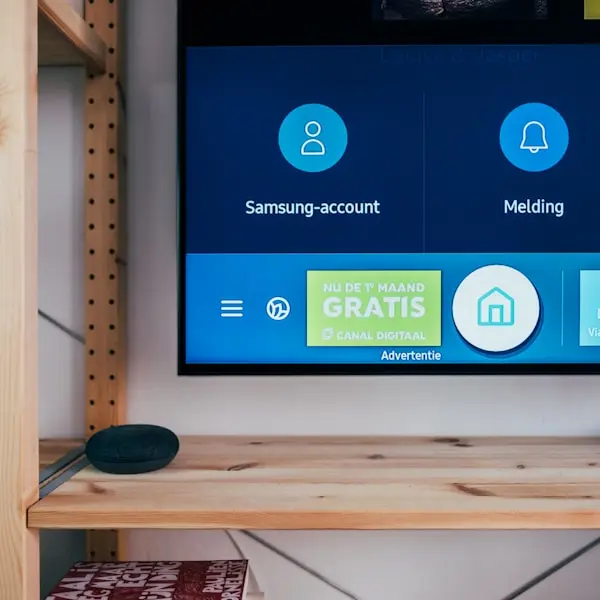


Keep your Gamma welcome message close to your player settings. The advertised selection includes 25,000+ live channels, a 120,000+ film & series library. Save the supplied access format and support contact before moving to another device.
Save your Gamma welcome message, match its login format to your player, and keep the support contact with it. Your next device setup starts with the details you already have.
A reinstall or a new TV should start with the access details you already received. Keep the welcome message, player name and order reference together.
Use the address and format supplied for your order. Check extra spaces before replacing a working login.
Check whether the login fails entirely or only a particular title has a playback problem.
Stop the first stream before starting another. The standard connection limit stays the same when you install a second player.
Keep the order email or reference and the payment-confirmation conversation. They help support locate the right details.
Access is usually delivered by email or WhatsApp within an hour after confirmed payment. Save it somewhere private.
Send the device, player version and exact error along with your order details.
Choose one, three, six or twelve months. Standard access permits one simultaneous stream; support can explain additional-connection options when needed.
One month to check your device and keep the working login details.
Three months of access with the same one-stream allowance.
Six months with welcome details and setup support to retain.
Twelve months at the lowest monthly equivalent; paid as one total.
Check news, entertainment and other channels you intend to use. Program-guide availability depends on the feed and player.
Ask about the particular programs and channels that matter to you. Test at your usual viewing time rather than assuming every event is available.
Try a movie or episode in the same player as live TV, and note whether any issue affects one title or the whole service.
Identify your device and choose a compatible player. Keep its name and the supplied login format with the welcome email.
 Fire Stick
Check your model
 Smart TV
Samsung / LG
 Android
Phone & Google TV
 Apple
TV, iPhone, iPad
Retain the server details, format and order information privately. You will need them again after a reinstall.
Note its name, version and the device model. Interface names can differ between apps.
When you report an error, include what worked before, what changed and the exact message shown.
Use your household’s real bills and required features. A subscription price alone does not establish the cost of replacing an existing TV package.
Keep the service details separate from the player’s own settings.
Internet Protocol Television streams channels and on-demand titles through your broadband connection — no satellite dish or cable box required.
After confirmed payment, use the supplied Xtream or M3U details in a compatible player. Keep that message for your next setup.
Send support the exact device model before entering a guessed portal address. MAG and Formuler setup options can differ from a standard Xtream login.
SD to 4K where available, with EPG and catch-up on supported channels.
Try an on-demand title and note the player and device if it fails.
Check the live channels you intend to use, with TV-guide data where available.
Confirm availability for the programs you follow and test their playback on your usual connection.
Keep the guide with your welcome details for Fire Stick, Smart TV, Android and Apple devices.
Order reference, device model, player version and exact error text make a useful first message.
Live sports
Check the actual program
If sports matter to your choice, ask about the exact programs and test them at your usual viewing time. Channel lists and feed availability can change.
A channel list is only one part of a TV setup. Keep the welcome details, identify the player that accepts them and retain the order conversation so you can return to the right support context.
Every standard duration includes one simultaneous stream. You can configure compatible devices, but stop playback on one before starting another. Keep the last working settings before changing anything.
Compare the full USD amount for the period you want. Renew manually when the term ends if you choose to continue; keep your reference with the renewal conversation.
Compare the four periods and ask about an available trial. Save your welcome message after activation.
“Sports nights finally stay smooth on Fire Stick. Support walked me through setup in ten minutes.”
Marcus R.Chicago“Clear pricing and a real research angle — activation landed the same evening.”
Elena V.London“VOD depth plus live news in one login. Gamma feels measured, not hype.”
Jonah K.TorontoAsk about wholesale credits, panel access and onboarding for your customer lines.
Email [email protected] with your device and player so the team can help match your setup to the access format.
Practical guides for keeping your access details, choosing a player and comparing the cost of your US TV setup.
Keep the access format, player version and device details together before choosing features.
Read more: Choose a Fire Stick player you can set up again
Use actual bills, Internet and player costs alongside the USD amount for each Gamma period.
Read more: Compare your TV bill with the full Gamma period total
Check your programs, access format, player, connection limit and support details before choosing a period.
Read more: Seven checks for a Gamma setup you can keep track ofAn IPTV subscription delivers video through your Internet connection to a compatible player. Check the actual channels, access format and connection limit before choosing a period.
Gamma IPTV lists fixed-period USD totals for this US storefront. Keep the welcome message and support details with your player settings, including when you travel.
Use your real household costs, try the channels you need when a trial is available, and check support instructions. Preserve a working setup before changing players or devices.